
Windows and mobile ready · iOS store release coming soon
Manage your salon from appointments to cash flow in one application.
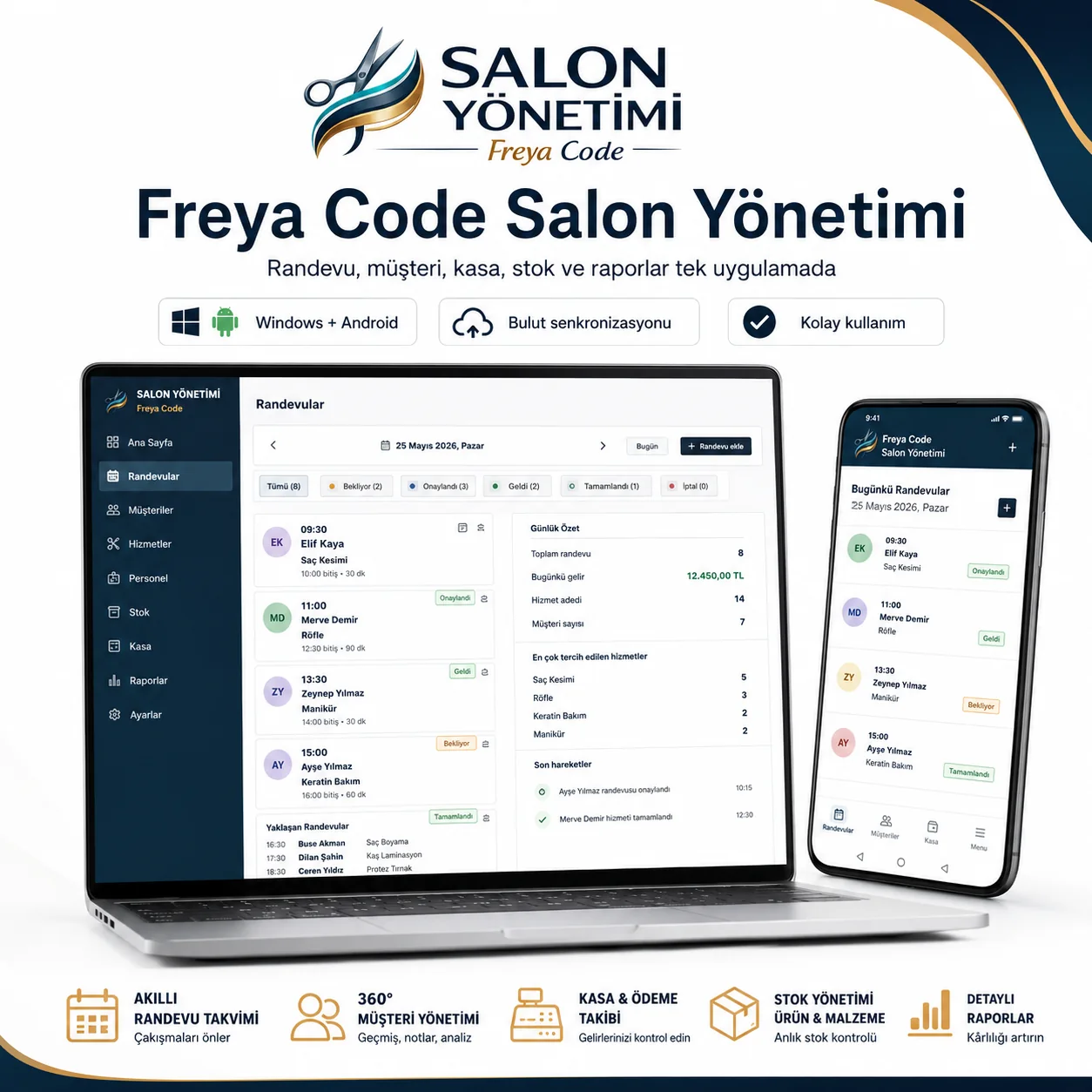
Handle appointments, customers, services, staff, sales, cash, inventory and reports through clear, easy-to-use screens.
No credit card required
Try Freya Code free for 14 days.
Download the Windows or mobile version. Open the app, create your business account and start your trial.
1 Download2 Install3 Start your trial
Your data is not deleted when the trial ends. Continue with the same business account after purchasing a license.
For appointment-based businesses
Your business name may differ, but your daily needs are often similar.
Appointment Tracking & Business Management is designed around the real workflow of service businesses that manage customers and appointments.
Your daily workflow in one place
The essential tools you need to run your business
Use sections that follow your real daily workflow instead of complicated spreadsheets.
Appointment management
Create appointments, select dates and times, track statuses and view chosen date ranges.
Sales and tickets
Add services or products, record payments and keep each customer’s purchase history.
Customer profiles
Manage contact details, service history, preferences and advanced fields available in your plan.
Services and staff
Create or disable services, add staff members and define access permissions.
Cash, inventory and costs
Filter cash movements and, with the appropriate plan, track inventory, suppliers, costs and profitability.
Reports and backups
Review basic or advanced reports and use local backup and cloud synchronization options.
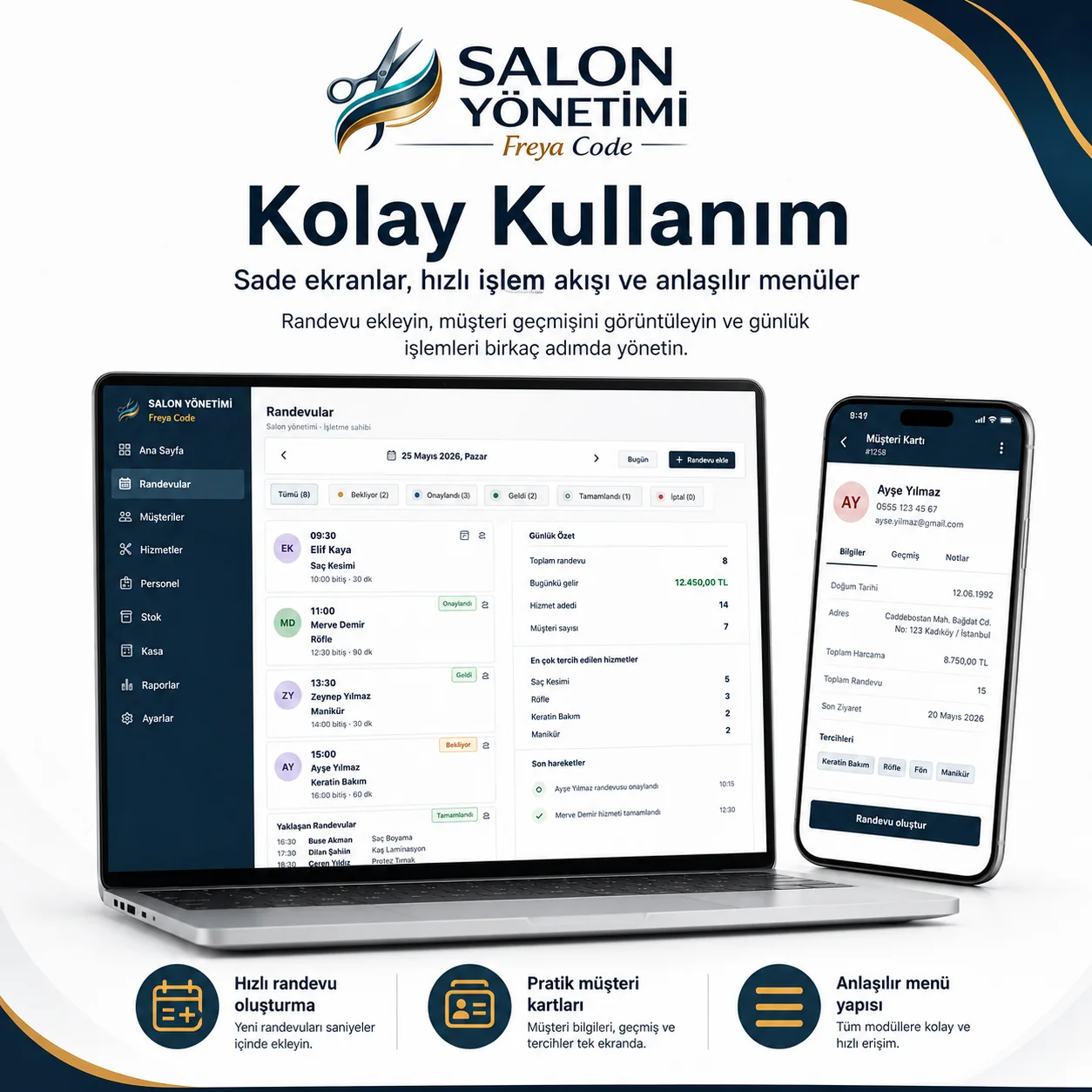
Clear screens, fast actions
You do not need days of training to learn the software.
Creating an appointment, selecting a customer, adding a service and checking daily cash follow clear steps.
- Search customers by name or phone
- See available times on one screen
- Edit or deactivate services
- Synchronize work between Windows and Android
3 plans for your needs
Start with what you need and upgrade as your business grows.
From essential daily management to advanced reporting and customer loyalty, choose among three clear plans. Use the license calculator below to combine period, users and plan.
Basic Plan
Core features for daily appointments and business management.
- Appointment management
- Sales and product transactions
- Basic customer profiles
- Service management
- Basic staff permissions
- Cash and basic reports
- Users, settings and backups
- Windows and mobile use
- Cloud synchronization
Professional Plan
Operational and management tools in addition to the Basic Plan.
- Everything in Basic
- Inventory management
- Supplier balance tracking
- Before-and-after photos
- Cost and profitability
- Staff finance and performance
- Advanced reporting
Complete Plan
Adds customer relationship tools to the Professional features.
- Everything in Professional
- Complete customer profiles
- Customer relationship tools
- Manual WhatsApp appointment reminders
- Membership and loyalty
- Custom price lists
License structure: Choose the license period first, then the number of users, and finally your plan. Windows and mobile devices can be used together within your total user allowance.
Build your license
Choose your period, user count and plan.
Choose the license period and user count first. The selected plan fee is then added to the user-license price to calculate the total.
Product screens
See the real work areas before relying on marketing claims.
The screenshots below are taken from the desktop application.
Frequently asked questions
What you should know before getting started
Is the software only for hair salons?
No. Barbershops, beauty salons, care centers, nail studios, spa and massage centers, and other appointment-based service businesses can use it.
Can Windows and Android be used together?
Yes. Depending on your license scope and user count, you can use connected Windows and Android devices with cloud synchronization.
Does the WhatsApp reminder send messages automatically?
No. The software prepares the message and opens WhatsApp. The user performs the final send action.
Is a card required for the 14-day trial?
No. Download the application and create your business account to start the free trial.
Which plan should I choose?
Choose Basic for appointments, sales, customer and cash management; Professional for inventory, costs, staff finance and advanced reports; Complete for customer relations, loyalty and custom pricing.
Freya Code Appointment Tracking & Business Management
Build the right license for your business.
Choose the period, user count and plan, then continue to the current purchase step in one click.